Smart-home control centre · exact-product guide
SwitchBot Hub 3: Matter, infrared control and Canadian buying guide
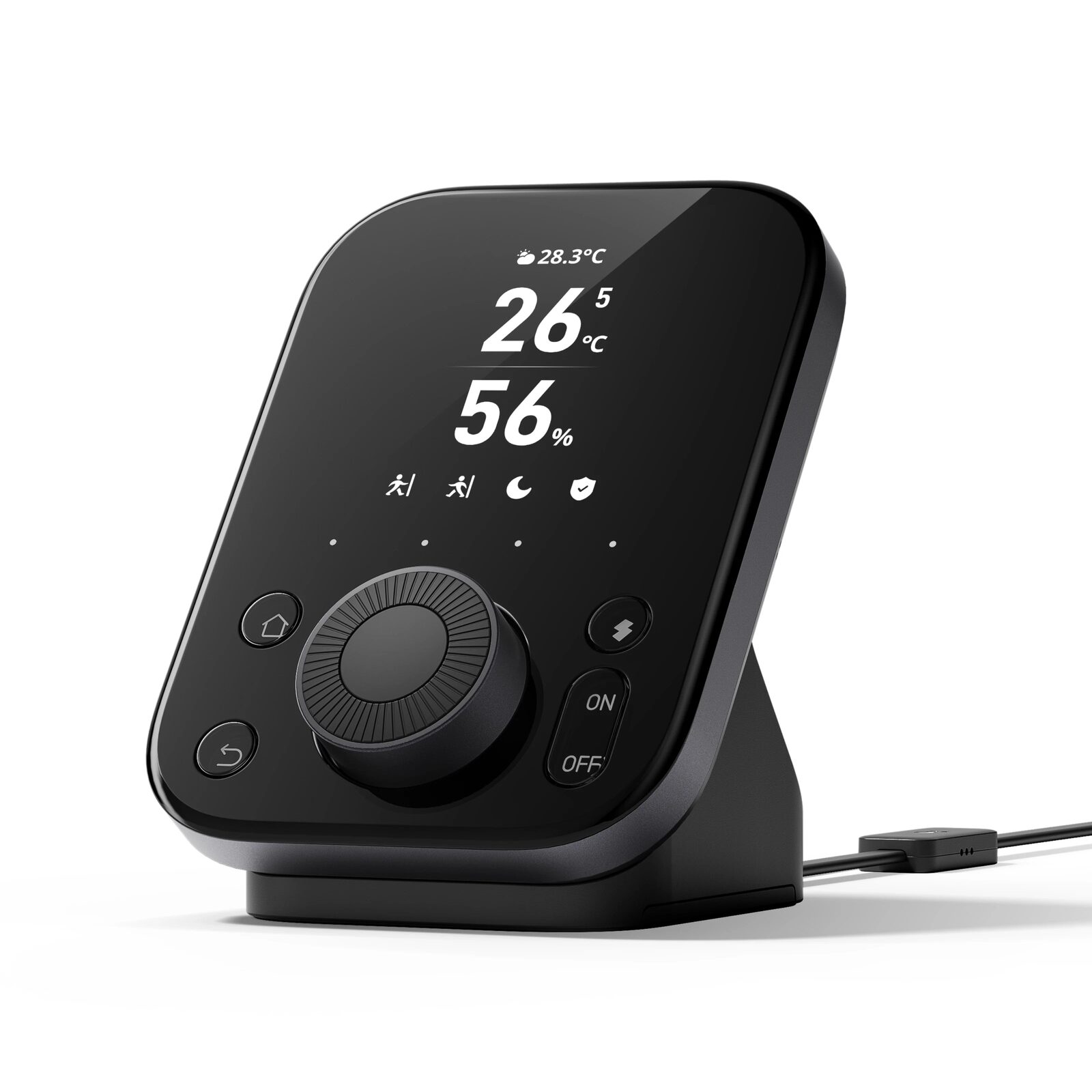
Hub 3 combines a fixed SwitchBot gateway, Matter bridge, infrared controller, room display, environmental sensors and physical scene controls. Its value comes from connecting several verified devices in one room or ecosystem; it is excessive if you only need a basic Bluetooth connection or one remote.
This partner link opens the exact Canadian SwitchBot Hub 3 page in a new tab; no search or sibling-variant selection is required.
Paid CJ affiliate link; commission never changes our analysis. Verified September 1, 2026.Short answer
Choose Hub 3 first when you need remote SwitchBot control, a Matter bridge for up to 30 compatible sub-devices, infrared control and physical scene buttons in one powered display. Do not buy it solely for CO2: Hub 3 cannot measure CO2 by itself, and a separate Meter Pro (CO2 Monitor) is required.
Verified specifications
The facts that change the decision
- Dimensions / weight
- 126 × 94 × 38 mm · 190 g
- Network
- 2.4 GHz Wi-Fi 802.11 b/g/n · Bluetooth Low Energy
- Power
- Fixed power · 5V/2A adapter · 5V/500mA output
- Matter bridge
- Up to 30 compatible SwitchBot sub-devices can be synchronized
- Infrared control
- Compatible air conditioners, TVs and learned infrared remotes; line of sight and exact-device support matter
- Physical controls
- Rotary dial plus four customizable scene shortcuts
- Built-in sensing
- Temperature, humidity, light and motion-related functions
- CO2 limitation
- No built-in CO2 measurement · separate Meter Pro (CO2 Monitor) required
- CO2 display
- Colour status icons, not a numerical ppm value on the Hub 3 screen
- Published environment
- Indoor · −20°C to 65°C
Good fit
This product may fit if…
- You own or plan several compatible SwitchBot devices that need remote control or cross-device scenes.
- You need a Matter bridge and have already identified the compatible Apple, Google or other Matter controller in your home.
- You want one fixed display for temperature, humidity, scenes, time and selected device status.
- The hub can sit near the infrared appliances and within useful Bluetooth range of the SwitchBot devices it serves.
Stop before buying
Do not order yet if…
- Your router does not provide a usable 2.4 GHz network at the planned location.
- You expect Hub 3 alone to measure and display an exact CO2 ppm number.
- Your Matter platform lacks the required home hub or the exact sub-device is absent from SwitchBot's current compatibility list.
- The planned position has no continuous outlet, blocks infrared line of sight or is too far from the Bluetooth devices.
Installation
Five-step verification plan
- 1
Inventory every device to connect and label it as infrared, Bluetooth, native Matter or bridged through SwitchBot.
- 2
Choose a powered indoor location with strong 2.4 GHz Wi-Fi, useful Bluetooth coverage and infrared line of sight.
- 3
Add Hub 3 to the current SwitchBot app, update its firmware and test its own display and sensors first.
- 4
Add only verified devices and learned infrared remotes, then test every physical scene button and dial action.
- 5
Configure Matter last with the required platform home hub, then synchronize only the compatible sub-devices you actually need.
After installation
What ownership requires
- Keep the hub, app, platform controller and connected-device firmware current before diagnosing failed automations.
- Document which scenes still work locally, which need the internet and which depend on a third-party platform.
- Review household access, account security, retired devices and remote-control permissions whenever occupants or phones change.
FAQ
Questions before buying
Does Hub 3 measure CO2?
No. SwitchBot's support documentation says a separate Meter Pro (CO2 Monitor) is required. Hub 3 can show the imported CO2 condition as green, orange or red icons, but not the numerical ppm value on its own display.
Does Matter work without another home hub?
Hub 3 is the SwitchBot Matter bridge, but the target platform still needs its compatible controller. Official setup examples require a HomePod or Apple TV for Apple Home and a compatible Google Nest hub for Google Home.
Can Hub 3 control infrared devices offline?
Official support says learned infrared remotes must first be added to the list of devices Hub 3 can operate. Treat offline control as a configured-device function, not universal offline infrared control for every appliance.