Retrofit smart lock · exact-product guide
SwitchBot Lock Ultra: compatibility, batteries and Canadian buying guide
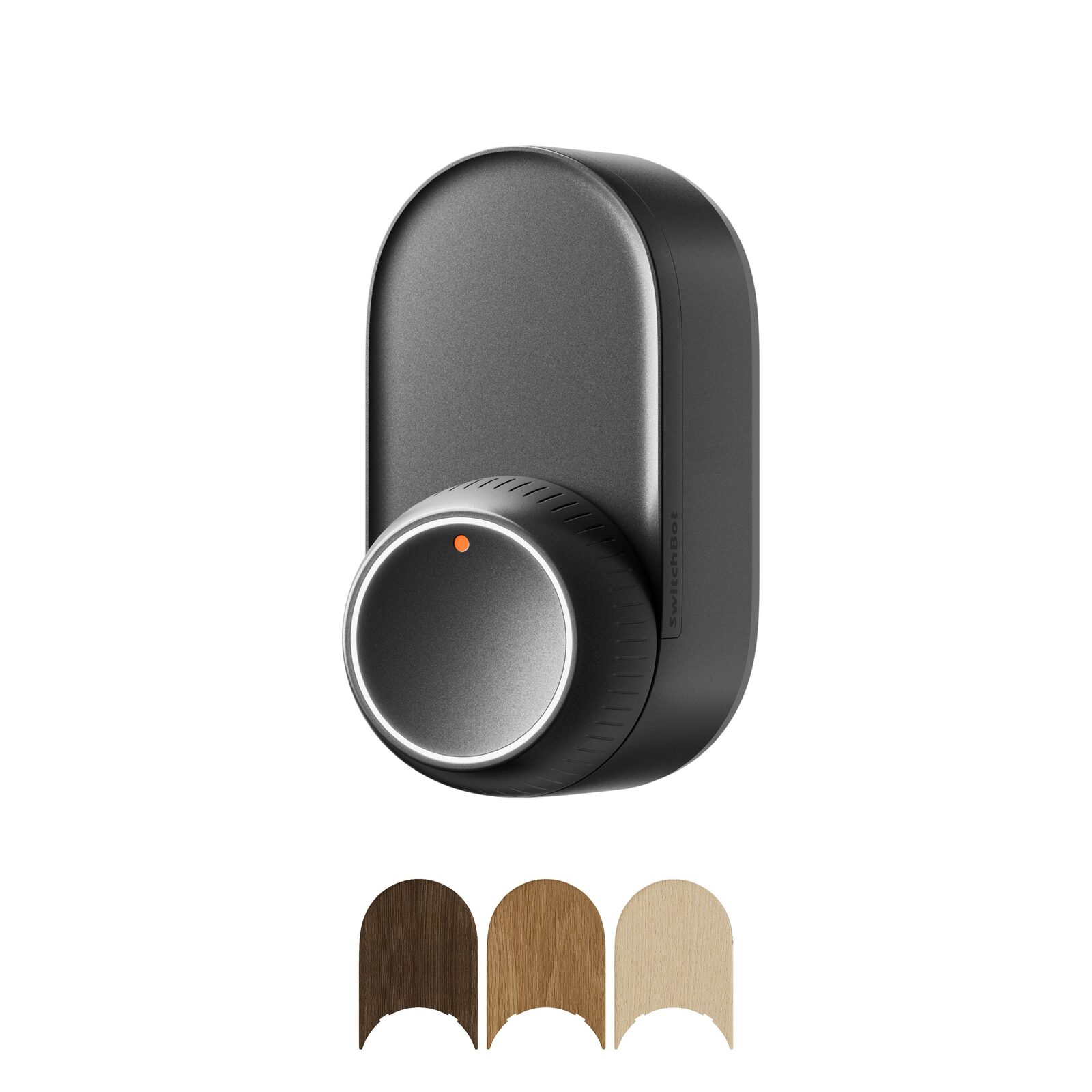
Lock Ultra motorizes the interior side of an existing entrance lock. It preserves a manual thumbturn and adds automatic locking, app control and optional ecosystem features, but the door geometry and lock rotation must be verified before price or convenience matters.
This partner link opens the exact Canadian SwitchBot Lock Ultra page in a new tab; no search or sibling-variant selection is required.
Paid CJ affiliate link; commission never changes our analysis. Verified September 1, 2026.Short answer
A strong fit when the exact lock can rotate at least 40°, the 122 × 62.6 × 66.8 mm body clears the door hardware and you want a removable retrofit design. Add a compatible SwitchBot hub only if you need remote control, real-time status, voice assistants, Matter, IFTTT or cross-device automation.
Verified specifications
The facts that change the decision
- Exact body size
- 122 × 62.6 × 66.8 mm
- Weight with batteries
- 367 g
- Supported lock rotation
- 40° or more
- Main battery
- 3 × 18350 rechargeable cells · 4,200 mAh total · up to 12 months
- Backup power
- CR123A · 1,400 mAh · up to 1,000 emergency unlocks
- Micro-power reserve
- Five emergency unlocks after the other power sources are unavailable
- Motor sound
- 50–55 dB measured at 50 cm
- Local control
- Bluetooth control does not require a hub
- Hub-required features
- Remote app control, real-time status, voice, Matter, IFTTT and SwitchBot automations
- Published environment
- Indoor · −10°C to 45°C · 10% to 90% RH
Good fit
This product may fit if…
- You want to keep the existing exterior key and add motorization on the interior side.
- The exact thumbturn, cylinder and surrounding trim leave enough space for the complete body.
- The lock rotates at least 40° between its calibrated locked and unlocked positions.
- You value local Bluetooth operation and can add a hub only for the remote functions you actually need.
Stop before buying
Do not order yet if…
- The lock type, rotation angle or adapter is not explicitly confirmed for the exact door.
- The body collides with trim, glass, a second lock, handle or the door frame during operation.
- The indoor mounting surface can fall below −10°C or accumulate condensation.
- You are counting on fingerprint or facial recognition without buying and verifying the matching keypad bundle.
Installation
Five-step verification plan
- 1
Photograph the interior lock, measure its full rotation and record the cylinder or thumbturn type.
- 2
Hold a 122 × 62.6 × 66.8 mm template against the intended position and operate every nearby handle and lock.
- 3
Confirm the included mounting parts or exact accessory adapter before removing packaging protection.
- 4
Install and calibrate locally first; test manual operation, app operation and automatic locking with the door open and then closed.
- 5
Add a compatible hub only after local operation is reliable and place it within Bluetooth range.
After installation
What ownership requires
- Recharge the main pack before it is depleted and keep the CR123A backup installed and within its service life.
- Review access permissions, removed phones, household changes and remote-unlock settings regularly.
- Keep the physical key and manual thumbturn usable; a smart lock should not erase the mechanical fallback.
FAQ
Questions before buying
Does Lock Ultra need a SwitchBot Hub?
Not for Bluetooth unlocking and local control. A compatible hub is required for remote control, real-time status, voice assistants, Matter, IFTTT and automation with other SwitchBot devices.
Does the base Lock Ultra include fingerprint recognition?
The lock body itself is not the fingerprint reader. Fingerprint or facial access depends on the exact compatible keypad or bundle selected, so compare the included components rather than the family name.
What happens when the main battery is empty?
The published system adds a CR123A backup rated for up to 1,000 emergency unlocks and a final micro-power reserve for five emergency unlocks. Keep the physical key available regardless.
Product in action
Official photos and demonstrations
Photos come from the exact Canadian product listing. The video shows operation or installation; it does not replace compatibility measurements.
Verified compatibility
Useful companion products
Add these products only for the function described on the page. A hub is not automatically required for every use.
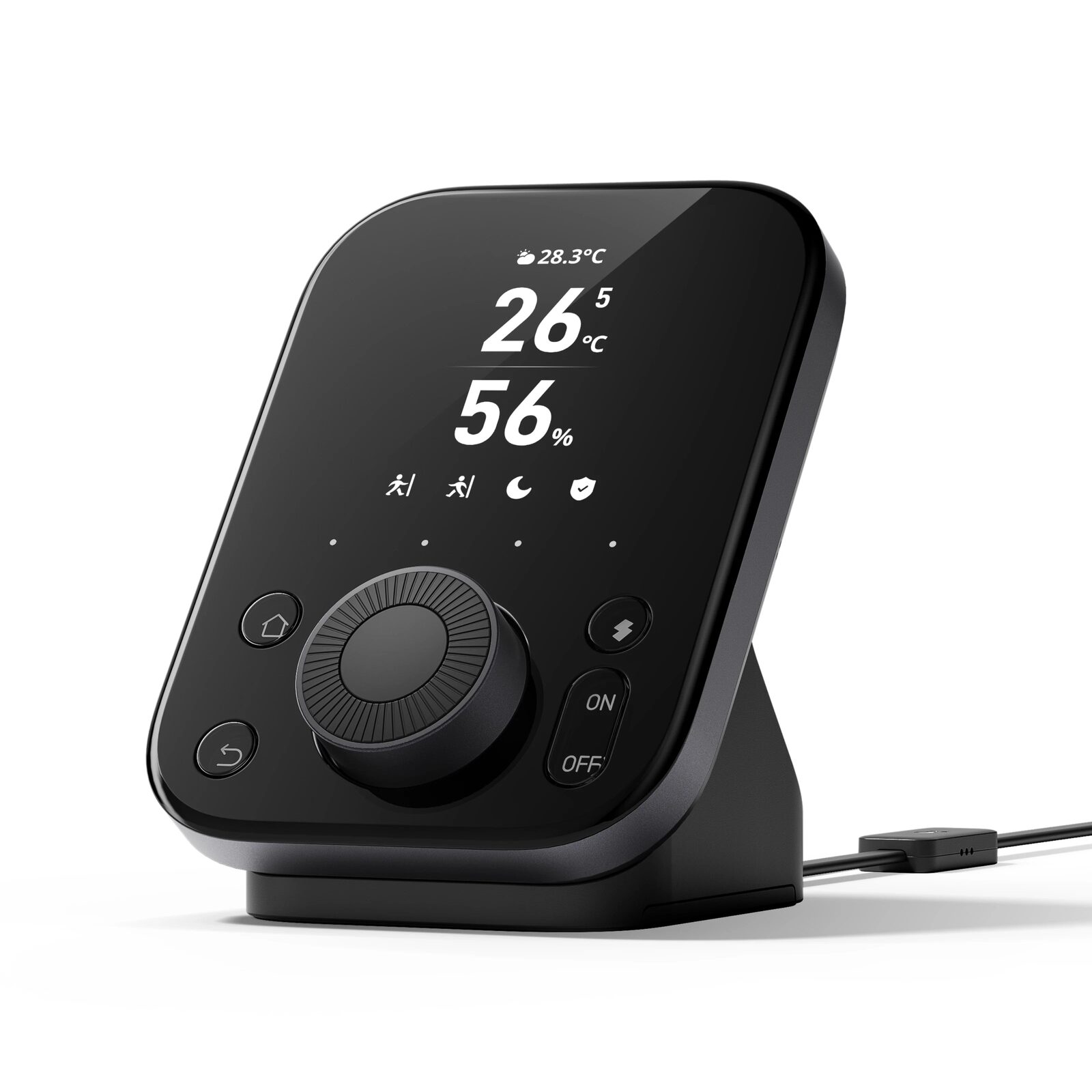
SwitchBot Hub 3
Matter bridge, infrared remote, scene controller and indoor climate display for a connected SwitchBot home.